
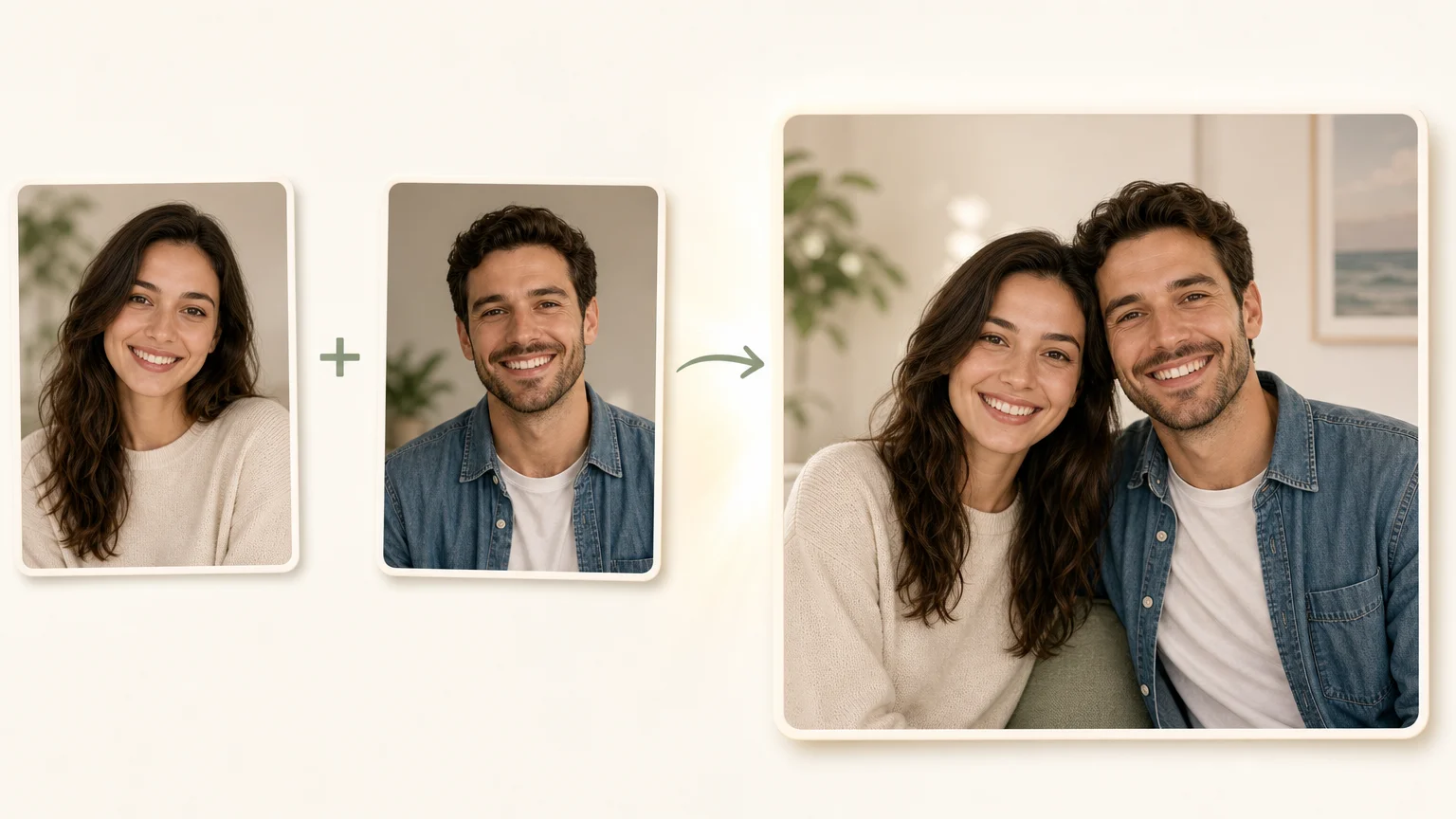

Could two separate portraits become one convincing shared moment? An ai couple photo maker can combine individual images into a romantic, casual, cinematic, or celebratory scene. If you need to place someone into an existing scene instead, our Add a Person to a Photo workflow offers a related compositing route.
The important question is not whether an image looks attractive at first glance. You also need to check whether both people remain recognizable, whether the lighting makes sense, and whether the result is clearly presented as AI-generated when it could be mistaken for a real photograph.
What does an AI couple photo maker actually do?
An AI couple photo maker uses image-generation and image-editing models to create one shared composition from separate visual references. You may upload one portrait of each person, provide an existing couple photo for restyling, or describe a fictional partner and scene with text.
The most useful workflow for real couples is the two-portrait method. One image supplies the first person, another supplies the second, and the model reconstructs both subjects in a new setting. A current Google Play listing describes this type of tool as blending one photo of each person into a single couple image.
These tools usually offer presets such as wedding portraits, beach scenes, anniversary photos, vintage film, travel moments, studio portraits, or fantasy artwork. Some also allow custom prompts that specify clothing, pose, background, season, camera style, and emotional tone.
There are three practical categories to distinguish:
- Identity-based merging combines two real portraits into a shared scene.
- Couple-photo restyling changes the look of an existing image without rebuilding the entire relationship between the subjects.
- Prompt-only generation creates a couple scene from words, but the people may not resemble specific individuals.
If your priority is a believable image of two real people, identity-based merging is usually the most relevant category. Prompt-only generation is better suited to concepts, illustrations, fictional characters, and decorative content.
Why does realism depend on identity and scene consistency?

A convincing result depends on more than facial resemblance. The model must also coordinate body proportions, eye direction, posture, shadows, color temperature, perspective, clothing, and the distance between both subjects.
For example, a brightly lit outdoor portrait paired with a dim indoor portrait creates a difficult starting point. The model may still produce an attractive image, but the faces can appear to belong to different lighting environments. Mismatched camera angles can also make one person look larger, flatter, or incorrectly positioned.
Category interest is visible in current app data. Third-party analytics recorded more than 1.7 million downloads for one couple-photo application by August 31, 2026, although download volume does not establish likeness quality or image reliability. The third-party download data is therefore useful as a demand signal, not as a performance guarantee.
For a realistic couple portrait, evaluate the result in this order:
- Facial likeness: Do both people still look recognizably like the source portraits?
- Expression: Do the eyes, smiles, and emotional tone look natural rather than duplicated?
- Body alignment: Are shoulders, hands, arms, and posture physically plausible?
- Lighting: Do highlights, shadows, and skin tones belong to the same environment?
- Scene depth: Do both people occupy the same space, rather than appearing pasted together?
At Photography Colleges, we approach related image compositing through scene preservation. Our add-person workflow is designed to retain the target photo's background, existing people, objects, framing, and lighting while matching the inserted portrait to the scene's perspective.
How should you prepare source photos?
The quality of your source images often matters more than the sophistication of the prompt. Use one clear portrait per person whenever possible. Front-facing or gently angled photos with visible eyes, unobstructed facial features, and sufficient resolution give the model stronger reference information.
Choose images with similar visual conditions. Two outdoor portraits taken in daylight are easier to combine than one portrait under warm household lighting and another under harsh midday sun. Similar camera height and face size can also reduce distortions.
Before uploading, remove avoidable obstacles such as sunglasses, heavy shadows, fingers covering the face, extreme side angles, and crowded group photos. These details can cause the model to invent facial features or blend one person with another.
Your source photos should also support the intended scene. A formal headshot may work well for a wedding portrait, but it may feel unnatural in a beach picnic scene. Similarly, a close-up selfie may not provide enough information for a full-body composition.
Use this preparation checklist:
- Choose one individual portrait for each person.
- Prefer sharp, well-lit, high-resolution images.
- Keep faces visible and avoid heavy obstructions.
- Match face size and camera angle when possible.
- Decide whether the output should be realistic, editorial, vintage, or illustrated.
- Use only images that you have permission to upload and edit.
What is the simplest workflow from upload to download?
A reliable process has four stages: reference selection, scene direction, generation, and review. Keeping these stages separate makes it easier to identify why a result does not work.
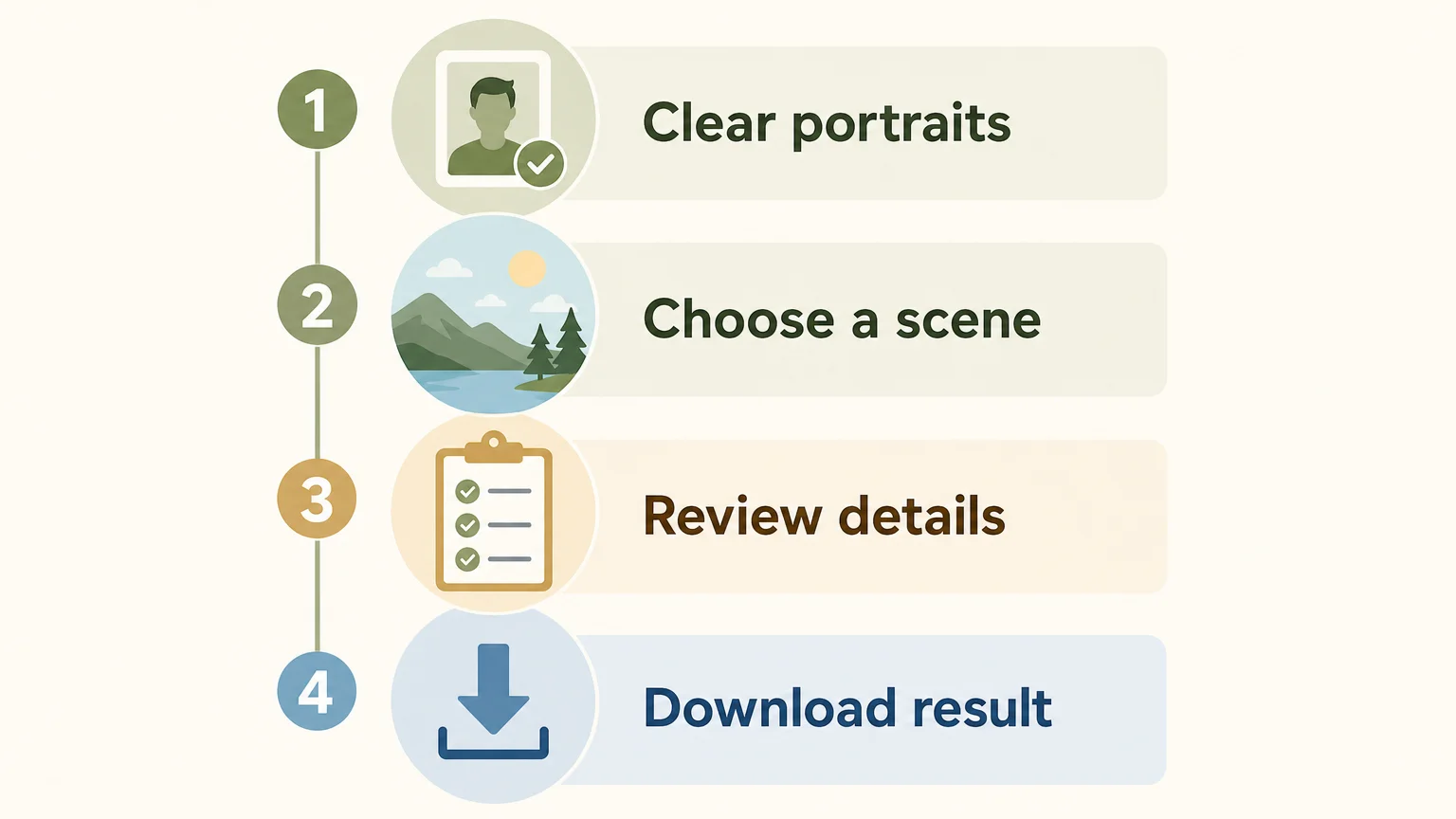
- Upload references: Add one portrait for each person, or select a suitable existing couple image for editing.
- Define the scene: Choose a preset or describe the setting, pose, clothing, mood, and lighting.
- Generate variations: Review more than one result when the tool allows it. Different versions may handle hands, expressions, and spacing differently.
- Inspect and download: Zoom in before saving. Check faces, fingers, jewelry, hair, clothing edges, and background objects.
A useful prompt is specific without becoming overloaded. For example, you could write: “Natural couple portrait in a city park at golden hour, casual neutral clothing, relaxed smiles, realistic photography, soft background blur.” This gives the model a location, time of day, clothing direction, expression, and visual style.
Overly complex prompts can introduce contradictions. Asking for a beach, a mountain cabin, a formal wedding hall, three clothing changes, dramatic rain, and a specific historical camera style in one request may produce an inconsistent result. Start with one scene, one mood, and one clear pose.
When you have several acceptable images, you can organize and compare them in our AI photo gallery. This is useful when you are selecting a profile image, invitation design, social post, or personal keepsake.
Which styles and use cases work well?
The best style depends on the purpose of the image. A realistic portrait is appropriate when likeness and emotional authenticity matter. A vintage, cinematic, or illustrated treatment gives you more creative flexibility when exact realism is less important.
- Anniversary images: Recreate a favorite location or design a new shared moment.
- Long-distance couples: Combine separate portraits into a scene that reflects a planned trip or meaningful place.
- Wedding concepts: Explore possible moods, colors, and compositions before a professional photoshoot.
- Social content: Create seasonal portraits for celebrations, announcements, or profile updates.
- Digital gifts: Produce a stylized image that reflects a shared interest, memory, or inside joke.
- Creative projects: Test character relationships, editorial concepts, or fictional storytelling scenes.
For personal milestones, keep the prompt emotionally specific but visually simple. “A quiet evening walk under warm streetlights” usually gives clearer direction than a long paragraph describing every building, accessory, and camera movement.
For marketing or event content, inspect commercial rights before publishing. A tool may allow you to download an image without providing the same permissions for advertising, resale, or client work. Do not assume that a free trial automatically includes commercial licensing.
What should you know about privacy and consent?
Couple-photo tools process personal images, so privacy deserves the same attention as image quality. Read the provider's data policy before uploading portraits, especially when the images show children, private locations, identity documents, or people who have not agreed to the edit.
Current app listings do not use one universal data model. One listing updated in August 2026 states that an application may collect personal information, photos, videos, financial information, and other data, while also noting that data practices can vary by region and age. Review the app market report and the provider's own privacy terms before treating a tool as suitable for sensitive photographs.
Consent also matters when the output could mislead someone. Do not create an intimate or romantic image of another person without permission. If you share a generated image publicly, consider identifying it as AI-generated when viewers could reasonably interpret it as a documentary photograph.
Finally, retain the original files separately. Keep your source portraits, generated versions, and final exports in clearly named folders. This helps you compare edits, remove an unwanted version, and avoid confusing an AI composite with an original photograph.
How can you choose the right tool in 2026?
Start with the result you need, not the most dramatic template library. If you want two specific people to remain recognizable, prioritize identity references, scene consistency, variation control, and transparent privacy information.
Use these questions before you upload:
- Can the tool accept one portrait for each person?
- Can you define the setting, pose, lighting, and mood?
- Does it preserve facial features across multiple generations?
- Can you compare several variations?
- Does it explain how uploaded images are handled?
- Are download quality and usage rights clearly described?
- Can you try the workflow without entering payment details immediately?
Photography Colleges is designed for focused AI creative workflows rather than one oversized editing interface. We provide separate tools for tasks such as adding a person, changing age, removing a watermark, transforming gender, creating cartoon avatars, and producing couple-photo edits.
For the add-person workflow, you upload a target photo and a clear portrait to add. The system is designed to preserve the existing scene, generate up to four variations, and let you download the version that fits your purpose. Free credits are available to try the tools, and no credit card is required to get started.
Make the image believable before making it beautiful
A strong AI couple photo begins with suitable source portraits and a simple, coherent scene description. Review facial likeness, hands, lighting, perspective, and background details before you share or print the result. Treat the output as a generated composite, protect the people shown, and verify privacy and usage terms before using it for commercial or public communication.
Take action with Photography Colleges
When you have two portraits but no shared photograph, a focused AI workflow can help you explore a believable scene without repeating the same manual edits. Choose clear references, describe the mood you want, and compare the generated options before selecting a final image.

Photography Colleges brings several practical AI editing workflows into one web workspace. If you want to create an affectionate couple-photo edit from a suitable image, try our AI Kiss tool. You can start with free credits, and no credit card is required at the beginning.
Frequently Asked Questions
Can an AI couple photo maker combine two separate portraits?
Yes, many tools can use one portrait for each person and generate a new shared scene. The result depends on source quality, lighting compatibility, facial visibility, and the model's ability to preserve identity.
How do you make an AI-generated couple photo look realistic?
Use clear individual portraits, a simple single-scene prompt, and compatible lighting. Review several variations and inspect hands, eyes, shadows, proportions, and background details before downloading.
Can you create a couple photo if the people have never met?
Yes, an AI tool can place two separate portraits into one generated composition. The output should be presented as an AI-generated image rather than a record of a real event.
Is it safe to upload personal photos?
Safety depends on the provider's privacy policy, retention practices, security controls, and data-sharing terms. Upload only images you have permission to use, and avoid sensitive photographs unless you understand how they will be processed.
What does Photography Colleges provide for couple-photo editing?
Photography Colleges provides focused AI image workflows, including an AI Kiss tool for couple-photo edits and related tools for compositing and visual creation. The platform offers free credits for trying its tools without requiring a credit card at the start.