

An AI kiss photo editor can create a believable romantic moment from ordinary portraits, even when the people were photographed separately. It is useful for social posts, creative projects, invitations, keepsake portraits, and visual storytelling. If your concept also requires a person to be placed into a different scene, our Add a Person to a Photo tool supports a separate compositing workflow.
The appeal is simple, but quality depends on more than pressing Generate. The editor must align faces, preserve recognizable features, balance body position, and reproduce lighting that belongs to the same scene. Responsible use matters equally, especially when the image represents real people or could be mistaken for a genuine photograph.
What does an AI kiss photo editor do?
An AI kiss photo editor uses image-generation and image-compositing techniques to create a kissing pose from one or more photographs. Some tools animate a still image into a short video, while others produce a new static image that looks like a romantic portrait.
The workflow generally analyzes facial landmarks, head angle, distance between subjects, skin tones, hair, clothing, and background structure. It then estimates how the faces and upper bodies could appear in a kiss. The result may preserve the original setting, or it may introduce a new mood, pose, or background depending on the tool.
There are three common input types:
- One couple photo: The editor modifies an existing image of two people.
- Two separate portraits: The system combines individuals into one romantic scene.
- One portrait: Some tools create a simulated or mirrored interaction, although this can produce less natural anatomy.
A photo editor is usually the right choice when you need a single image for a profile, invitation, card, or post. A video generator is more suitable when you want movement, such as a lean-in, kiss, or brief romantic sequence. These formats serve different creative purposes, so you should decide whether the final asset needs to be still or animated before uploading anything.
Which qualities make a generated kiss photo believable?
Why do some AI kiss images look natural while others appear artificial? The difference usually comes from photorealistic compositing, not from romantic wording in the prompt.
First, the faces must have compatible angles. Two front-facing portraits are easier to combine than one side profile and one distant image. Similar camera height also helps, because mismatched viewpoints can make one person appear too large or too close.
Second, the lighting should tell the same visual story. If one portrait uses warm indoor light and the other uses cool daylight, the final image may show inconsistent skin tones. A strong editor can reduce this difference, but it cannot always reconstruct missing shadows or facial details.
Third, the source images should contain visible facial features. Sunglasses, heavy blur, hair across the eyes, extreme filters, and low resolution can reduce alignment accuracy. Clean backgrounds are helpful when the tool must separate people from their surroundings.
A useful quality checklist includes:
- Clear eyes, noses, and mouths
- Moderate facial angles
- Similar image resolution
- Balanced lighting
- Enough space around each head and shoulder
- Minimal motion blur
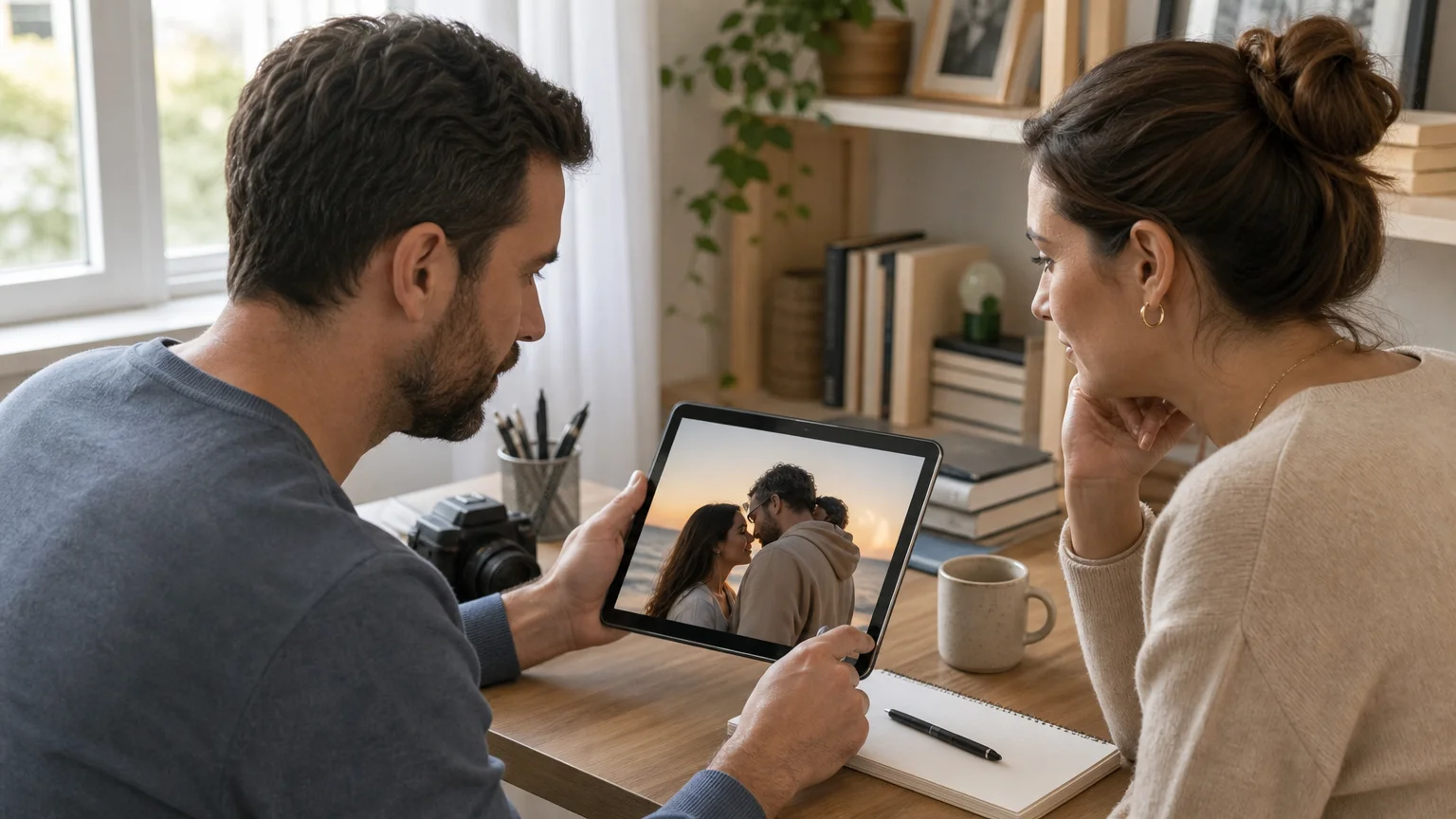
A 2026 report discussed by Digital Camera World reported that 93% of surveyed photographers wanted AI edits to look natural. The survey was connected to an editing platform, so it should be treated as directional rather than universal. However, it reflects a practical expectation: viewers usually prefer believable lighting, anatomy, and expression over dramatic effects.
How should you prepare photos before generating?
Imagine that you have two portraits from different occasions. You can upload them immediately, but a few minutes of preparation may improve the result more than repeated generations.
Begin by choosing images with similar framing. If one person is shown from the chest upward and the other appears only from the shoulders, the system has less information for building a coherent pose. Cropping can help create comparable proportions before the images reach the editor.
Next, inspect facial direction. A gentle turn toward the other person generally supports a more convincing kiss than two subjects looking in opposite directions. When possible, choose portraits with relaxed expressions and unobstructed mouths.
You should also avoid combining images with strongly different visual treatments. A studio portrait and a heavily stylized selfie may produce a result with conflicting texture. Consistent color, focus, and exposure give the model a stronger foundation.
Do not over-edit the inputs before generation. Excessive smoothing can remove details that help the system recognize facial structure. A natural source image often provides better material than a heavily filtered one.
Finally, consider the intended output. A vertical image suits stories and mobile posts. A square crop works well for profile images and many social feeds. A wider composition may be better for invitations, banners, or editorial layouts.
How do you create an AI kiss photo step by step?
The basic process is straightforward, but each stage affects the final result. A careful workflow helps you identify whether a weak output comes from the source material, the selected style, or the editor itself.
- Select the image format: Choose a still image if you need a portrait, card, invitation, or social post.
- Upload suitable photos: Use one couple image or two compatible portraits with clear faces.
- Choose the kiss style: Select a gentle, cinematic, playful, forehead, cheek, or lip-to-lip direction when available.
- Set the composition: Choose the aspect ratio and make sure the subjects have enough surrounding space.
- Generate the image: Allow the tool to create one or more versions.
- Compare variations: Review facial alignment, hands, teeth, hair, clothing edges, and shadows.
- Download the strongest result: Keep the version with the most consistent anatomy and lighting.
When a result looks almost right, avoid judging only the faces. Inspect the areas where AI systems often struggle, including fingers, earrings, glasses, teeth, hair strands, and overlapping clothing. Small distortions can become obvious when the image is enlarged.
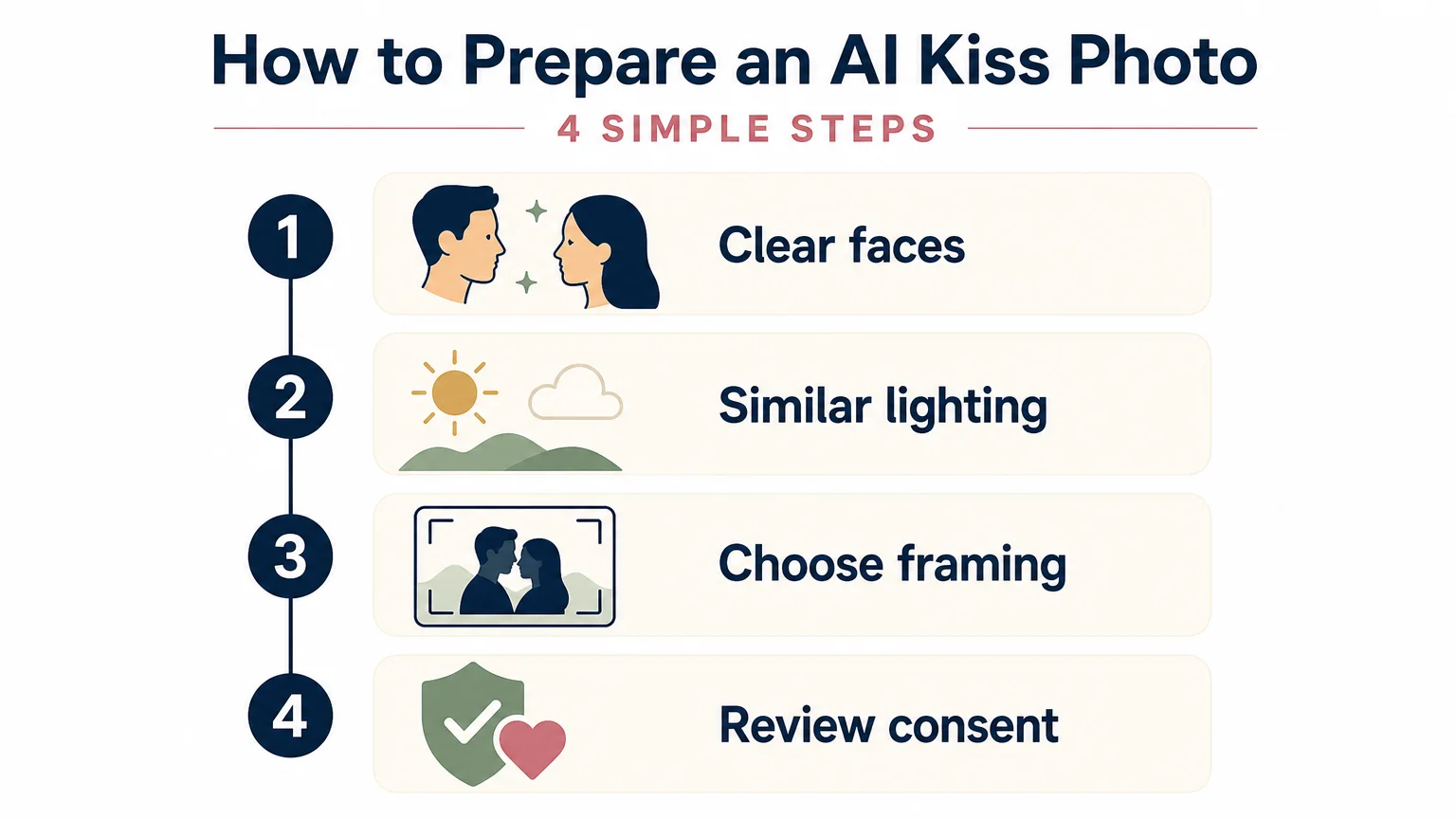
For a broader editing workflow, you can combine the result with other focused adjustments. For example, our AI gender swap photo editor supports a separate transformation when your creative concept requires a different presentation of a portrait.
What privacy and consent rules should you consider?
A romantic image can still create harm when it is made without permission. You should upload only photographs that you own or are authorized to use. If another person is recognizable, obtain consent before generating, sharing, or publishing an intimate-looking edit.
This principle is especially important because image-generation tools can make altered scenes appear authentic. A June 2026 study in a ScienceDirect study surveyed 7,231 respondents across Australia, the United Kingdom, and the United States. It reported that 3.2% acknowledged creating, sharing, or threatening to share nonconsensual AI-generated sexualized imagery, while 18% reported viewing it.
Those figures concern sexualized imagery, not ordinary romantic portraits. They nevertheless show why consent, context, and distribution controls should be treated as core requirements. A kissing image may be harmless in one situation and damaging in another.
Never use a romantic editor to impersonate someone, create a misleading relationship claim, or pressure another person. You should also avoid uploading images of children for romantic transformations. A March 2026 study published in PLOS One research examined AI-generated sexualized image use among 557 United States adolescents. Its findings reinforce the need for strict age boundaries and careful supervision around sensitive image tools.
Before using any service, review its privacy policy and terms. Pay attention to retention periods, training practices, deletion controls, account visibility, and commercial-use conditions. Do not assume that a free tool provides the same protections as a paid service.
When should you use an AI kiss photo editor?
An AI kiss photo editor works well when the image is clearly presented as a creative transformation. Suitable uses include anniversary concepts, fictional storytelling, event stationery, playful social content, and private experiments involving consenting adults.
It can also help when a real photo opportunity was missed. A couple may want a new portrait after a wedding, during a long-distance relationship, or for a personal keepsake. The image should still be labeled or contextualized appropriately if viewers could mistake it for documentary photography.
For marketing and professional work, keep the intended audience in mind. A romantic visual may support a campaign, greeting card, or lifestyle concept, but it should not imply a real endorsement or relationship that does not exist. Obtain model permissions and confirm that the generated result fits your licensing obligations.
The technology is less appropriate when realism could cause confusion. Avoid using an altered kiss image as evidence of an event, a relationship, a public statement, or a private interaction. The more sensitive the context, the more important transparent labeling becomes.
The AI safety report published in 2026 notes that reliable measurement of harms from synthetic content remains difficult. That uncertainty is a reason to use clear consent practices and cautious distribution, not a reason to treat every generated image as harmless.
How can a focused AI workspace support related edits?
Many projects need more than one transformation. You may need to create a kiss image, adjust a portrait age, or prepare several visual variations for a campaign. A focused workspace can reduce repetitive switching between unrelated tools.
For age-based creative concepts, our AI age swap photo editor provides a separate workflow for portrait transformation. Keeping different edits in dedicated tools can make the process easier to understand and reduce accidental changes to the original concept.
The same principle applies when you need to add a person, change a portrait presentation, or create an avatar. Start with the narrowest tool that matches your goal. Then review the output manually before sharing it.
Photography Colleges organizes several AI image workflows in one online workspace. You can select a focused tool, upload the relevant image, generate a result, compare available variations where supported, and download the preferred version. This approach is useful when your project involves several related visual tasks rather than one isolated edit.
Choose realism, consent, and control
A strong AI kiss photo editor should make the creative process simple without encouraging careless image use. Clear source photos, compatible angles, coherent lighting, and careful review improve the visual result. Consent and privacy checks protect the people represented in the image. Treat every generated kiss photo as an edited creative work, especially when others may interpret it as real.
Take action with Photography Colleges
When you need a romantic image without rebuilding the scene manually, a focused AI workflow can help you move from idea to usable visual faster. The best starting point is a clear source photo, a defined creative intention, and permission to use every person shown.
With Photography Colleges, you can try focused creative tools through a web browser using available credits, without requiring a credit card at the start. Upload your image, generate a romantic couple edit, compare the result, and download the version that fits your project through our AI Kiss tool.
Frequently Asked Questions
Can an AI kiss photo editor use two separate portraits?
Many editors can combine two separate portraits into one romantic scene. The strongest results usually come from images with similar lighting, resolution, camera angle, and facial direction.
How can you make an AI kiss photo look more realistic?
Use clear faces, natural expressions, compatible framing, and moderate lighting. Always inspect the mouth, teeth, hands, hair, shadows, and clothing edges before sharing the result.
Is it acceptable to create a kissing image of another person?
You should obtain permission from every recognizable person before generating or distributing a romantic image. Do not use an edited image to impersonate someone, mislead viewers, or suggest an intimate event that did not happen.
Can you use an AI kiss photo for marketing?
You may be able to use one for marketing when you have the necessary image rights, permissions, and commercial-use authorization. You should also label the image when viewers could reasonably mistake it for an authentic photograph.
What other photo edits can you make in the same workspace?
A broader AI workspace may include person insertion, age transformation, gender transformation, watermark removal, and avatar creation. Photography Colleges provides focused tools for several of these related image-editing needs.